
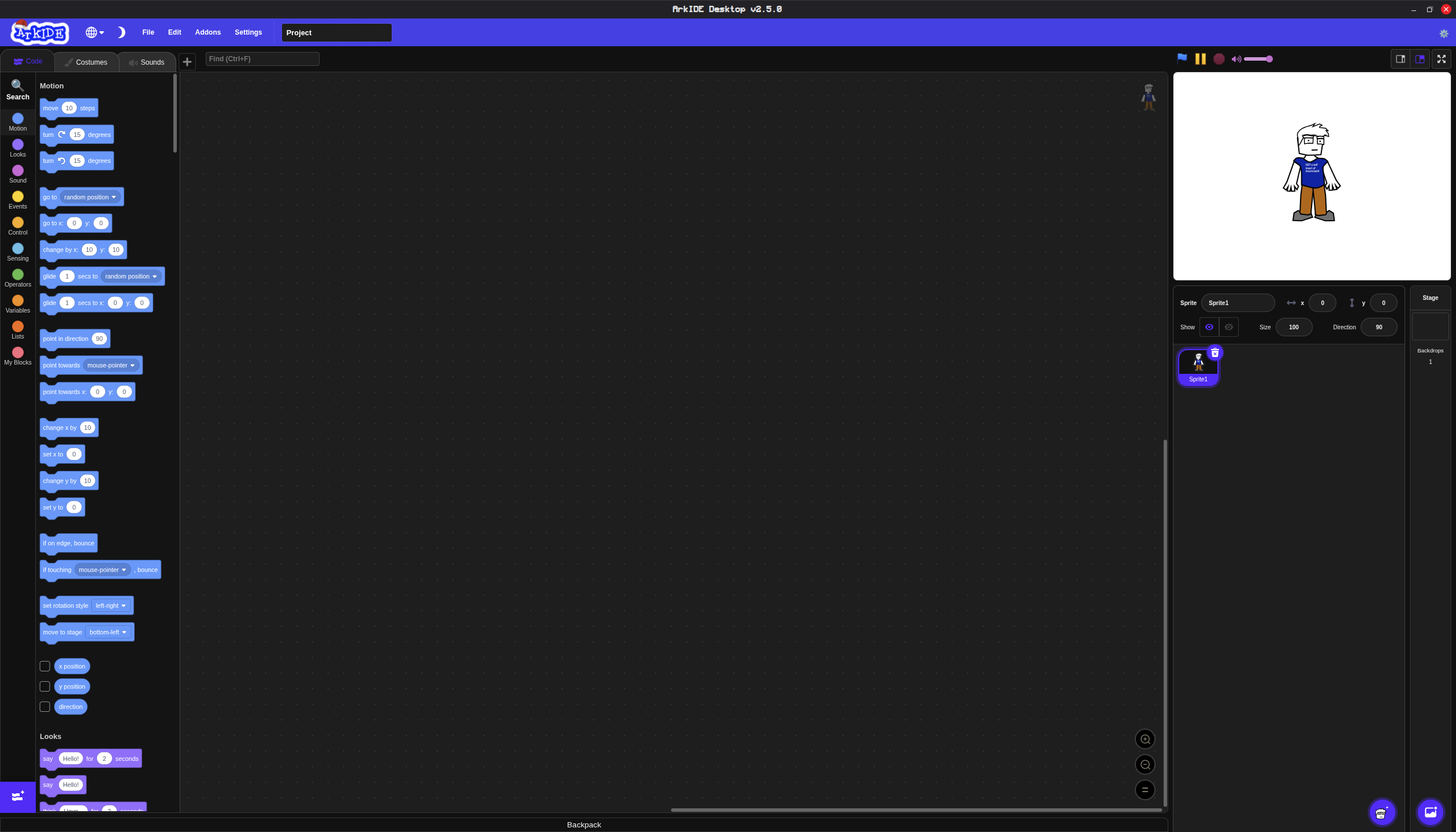
ArkIDE Desktop
Download the desktop version of ArkIDE for enhanced performance and offline capabilities.
Download ArkIDE Desktop
Select your operating system and architecture:
Version: 2.13.3
Installation Instructions
Windows Installation
Step 1: Download the installer by clicking the download button above.
Step 2: Run the downloaded Ark.IDE.Setup.2.13.3.exe file. Windows may show a security warning - click "More info" and then "Run anyway" to proceed.
Step 3: Follow the setup wizard. We recommend keeping the default settings.
Step 4: Launch ArkIDE Desktop from the Start Menu or desktop shortcut.
Note: Windows 7 or later is required. (Dont worry we wont end support for win7 and 10 untill electron COMPLETLY depreciates them.)
Features
- Native performance and faster load times
- Work offline without an internet connection
- Quick launch from your desktop
- Discord RPC Compatibility, so people can see that your coding on ArkIDE
- Verson checker to see when your desktop app is out-of-date
- Flatpak Compatibility for easy installation on Linux
System Requirements
Minimum
OS: Windows 7 / Any linux distro that supports Appimages / MacOS 10.15 or later
RAM: 4 GB
Storage: 100 MB free space
Display: 1280x720 resolution
Recommended
OS: Windows 11 / Any linux distro that supports Appimages / MacOS 11 or later
RAM: 4 GB or more
Storage: 500 MB free space
Display: 1920x1080 resolution or higher
Frequently Asked Questions
Why in some parts of the app do I see "Icarus Desktop"
You see Icarus Desktop because that is the codename for ArkIDE Desktop. And I put that in some places becuase Icarus Desktop sounds considerably cooler that ArkIDE Desktop.
Is ArkIDE Desktop free?
Yes! ArkIDE Desktop is completely free to download and use.
How do I update ArkIDE Desktop?
Each time ArkIDE is updated you will need to download a new version.
What's the difference between the web and desktop versions?
The desktop version offers better performance, offline capabilities, Your projects can sync between both versions (web and desktop).